
AI Captions — Animated, word-perfect captions for every clip
Studio-quality animated captions, automatically synced to every word. Pick from a library of styles built for TikTok, Reels, and Shorts.
What are AI captions?
AI captions are subtitles MiniMint writes and animates for you, word by word and timed to the audio rather than chunked into blocks of text. Every clip is transcribed automatically, so there is nothing to type and nothing to line up by hand. Pick from a shortlist of eight styles, shown below and rendered by the caption engine itself, or from any of the sixty-nine presets in the full library. You can leave the spoken language to auto-detect or name it yourself, and you can ask for the captions to be translated into another language while the audio stays as it is. Whichever style you choose is burned into the exported video, so the captions travel with the file and still appear on platforms that strip closed captions. You can read the caption text in the editor and adjust it before you export.
What the caption styles actually look like
Eight of the styles you can pick from, rendered by the caption engine itself rather than mocked up. There are sixty-nine in the full library.
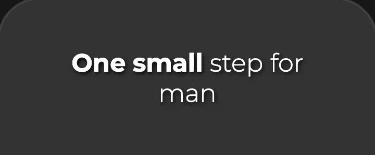 Zen
Zen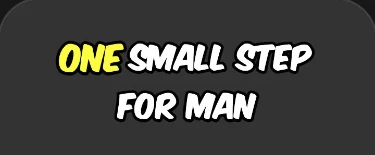 Beasty
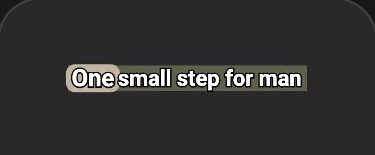 Pro Box
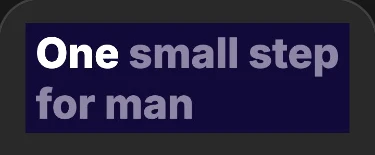 Indigo
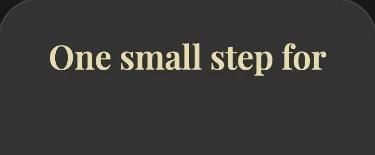 Playfair
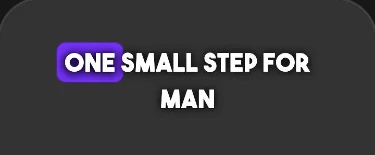 Popping
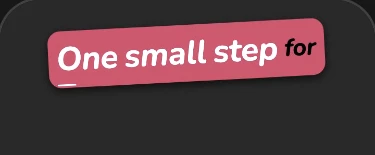 Candy
Candy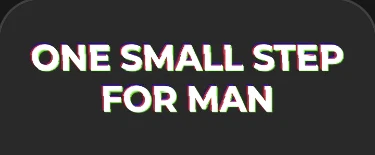 Glitch
Who uses AI Captions?
- Creators publishing sound-off vertical video
- Accessibility-focused teams
- Anyone whose audience watches without sound
Why use AI Captions?
- Captions are timed word by word rather than in chunks, so they track the speaker.
- You can choose from sixty-nine presets, eight of which are previewed on this page.
- Captions are burned into the export, so they survive platforms that strip closed captions.
- Your clips stay watchable with the sound off, which is how most feeds are scrolled.
How do I use AI Captions?
Open any clip in the MiniMint editor
Choose a caption style from the library
Preview the captions live against your clip
Export — captions are rendered into the final video
Frequently asked questions
- Are captions baked into the video?
- Yes. Captions are rendered into the exported file, so they show up everywhere the clip is posted, including on platforms that strip closed captions. There is no separate subtitle file to upload.
- Can I edit the caption text?
- You can read the caption text in the editor and adjust it before exporting. It comes from an automatic transcript, so names and unusual terms are the ones worth checking.
- Can captions be in another language?
- Captions are written in the language being spoken, which MiniMint detects automatically unless you name it. You can also ask for them to be translated into another language, in which case the audio stays as it is and only the captions change.
More questions? Visit the full MiniMint FAQ.
Last updated
Ready to try AI Captions?
Join creators using MiniMint to turn long videos into a content engine.