Turn one video intoscroll-stopping shorts.
Clip, caption, brand, and post — all from our premium AI studio. Built for creators, podcasters, and teams who want to ship a week of shorts in an afternoon.
15 free credits, no card required
Built for
One upload, one clip, no editing
Drag the handle up and down. Above the line is the clip with captions off. Below it is the same eight seconds after MiniMint -- every word timed to the audio and burned into the frame, ready to post. Same footage, same moment; the only difference is the part you would otherwise sit and type.
- The same footage on both sides
- Every word timed to the audio
- Captions burned in, no typing
- Found by the transcript, not by you
One workflow. Every short you need.
From raw upload to publish-ready brand, MiniMint handles the full pipeline — no jumping between five different tools.
Design a brand without a designer
Answer a 5-step creative brief and let MiniMint generate four polished logo concepts. Refine, regenerate, and save to your library — then drop the logo into every clip automatically.
- 5-step guided brief
- 4 unique concepts
- Refine + regenerate
- Reusable brand library
A timeline built for shorts
A video lane and a music lane on one ruler, with snapping, zoom and frame thumbnails. What you hear in the preview is what the render produces.
- Video and music on one ruler
- Snap, trim, zoom
- Frame thumbnails
- Preview matches the render
Cinematic sound, perfectly synced
Upload your own tracks and reuse them across clips. Adjust volume, trim, and offset on a unified video + music timeline — exactly like Clipchamp, just smarter.
- Your own uploads, reusable
- Live volume control
- Snap & trim handles
- Mixed into final render
Clip a video from Claude or ChatGPT
Connect MiniMint to your assistant and work from the chat. It checks the cost first, waits for you to agree, and the clips land in your dashboard as usual.
Ask what you are working on
Your assistant can see your projects, their status and how far along they are, without you opening the dashboard.
Check the cost before you commit
Give it a video link and it reports the estimated credit cost against your balance. It spends nothing and starts nothing.
Start clipping from the chat
Uses creditsOnce you agree to the cost, your assistant starts the job. You get a project you can follow in the dashboard as usual.
Pull the results back
When a project finishes, your assistant can list the clips it produced with their titles, timings and scores.
Captions that look designed, not generated
Every clip is transcribed automatically and timed to the audio word by word, so there is nothing to type and nothing to line up by hand. A style name tells you nothing about whether it is readable — so here they are.
- Timed word by word, not in chunks
- Eight previewed, sixty-nine in the library
- Burned in, so they survive re-uploads
- Auto-detect the language, or name it
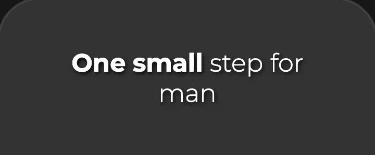 Zen
Zen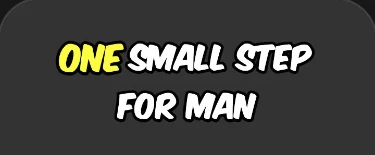 Beasty
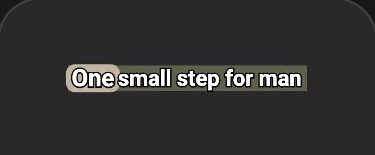 Pro Box
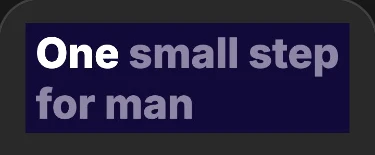 Indigo
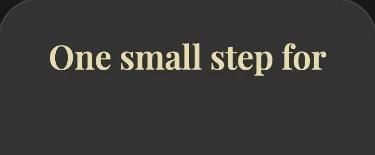 Playfair
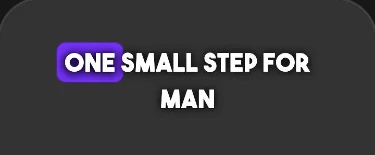 Popping
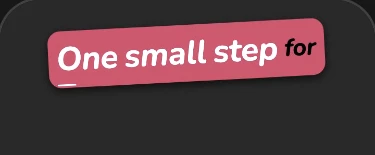 Candy
Candy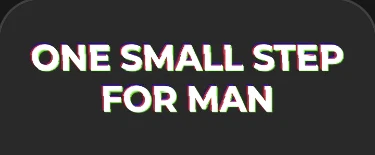 Glitch
Try a style on for size
Pick one and it stays put. Every preview is output from the caption engine itself, cropped from a real clip -- not type set to look like it.
Zen
8 of the styles you can pick, each one a real render from the caption engine rather than a mock-up. The rest of the library is in the app.
How MiniMint works
Three steps to your next viral clip.
- Step 1
Upload or paste a link
Drop a MP4, MOV, WEBM or MKV file, or paste a link from YouTube, Vimeo, Twitch or X.
- Step 2
Pick your style
Choose aspect ratio, caption style, music, and your logo.
- Step 3
Generate & ship
AI clips, captions, brands, and exports your shorts in minutes.


MiniMint in fourteen seconds
One long recording in a studio, turned into a phone full of captioned, branded shorts. Best with the sound on.
Ship a week of shorts in an afternoon.
Join creators using MiniMint to turn every long video into a content engine — branded, captioned, and ready to publish.
- TikTok-ready
- Reels-ready
- Shorts-ready
- YouTube horizontal